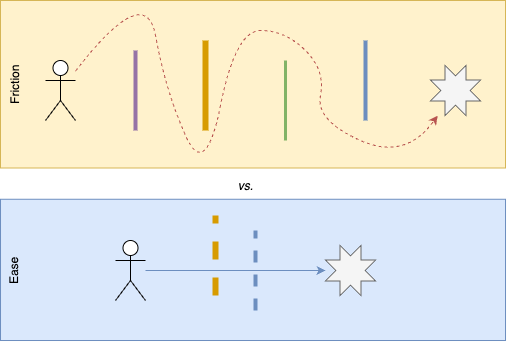
Amazon in general, and Jeff Bezos in particular, are famous for “reducing friction.” Case in point: One-click checkout. Allegedly, it was Bezos himself who obsessed over removing as many steps as possible from the customer’s path to purchase. Enter your shipping address? Confirm your credit card number? Validate the details? Gone. Just “Buy now,” and the goods will be in your mailbox tomorrow.
For poketto.me, I applied this principle to the signup process. What’s the simplest way to enroll for a new product or service? Do you really want to enter your name (first and last), email address (twice), a password (with arbitrary security criteria), then get a confirmation mail, click the link, and finally find yourself in another browser tab (or window)? By that time, many users would surely have given up.
So, I introduced “Sign in with Google” first—one click, and your poketto.me account is set up and ready to use. “Continue with email” works almost as smoothly: Enter your email address, check your mail for the verification code, copy/paste it, and you’re good to go. In fact, I credit much of the initial upsurge in sign-ups to the simplicity of this process.
But there’s another part of friction that’s often overlooked: deliberate friction, used to gently nudge users away from things you don’t want them to do. Case in point: the Pocket data import.
Users can export their saved content from Pocket as a CSV file and import it into poketto.me. But that file can be huge—in my own case, it had over 1,100 entries going back to August 2015. Naturally, I wanted users to import all their historical data into poketto.me. But I also didn’t want them to overwhelm the system. Fetching, streamlining, and possibly translating thousands of articles at once would have required a completely different architecture and far more infrastructure than I had planned for.
So the import process comes with a bit of healthy friction: Users can upload all their saves at once—so far, so good. But then they have a choice: If they want the full “fetch / streamline / translate” experience, they have to click the “Save” button for each entry. Or they can import all saved URLs at once, but then only the URL, title, and “saved at” date will be stored.