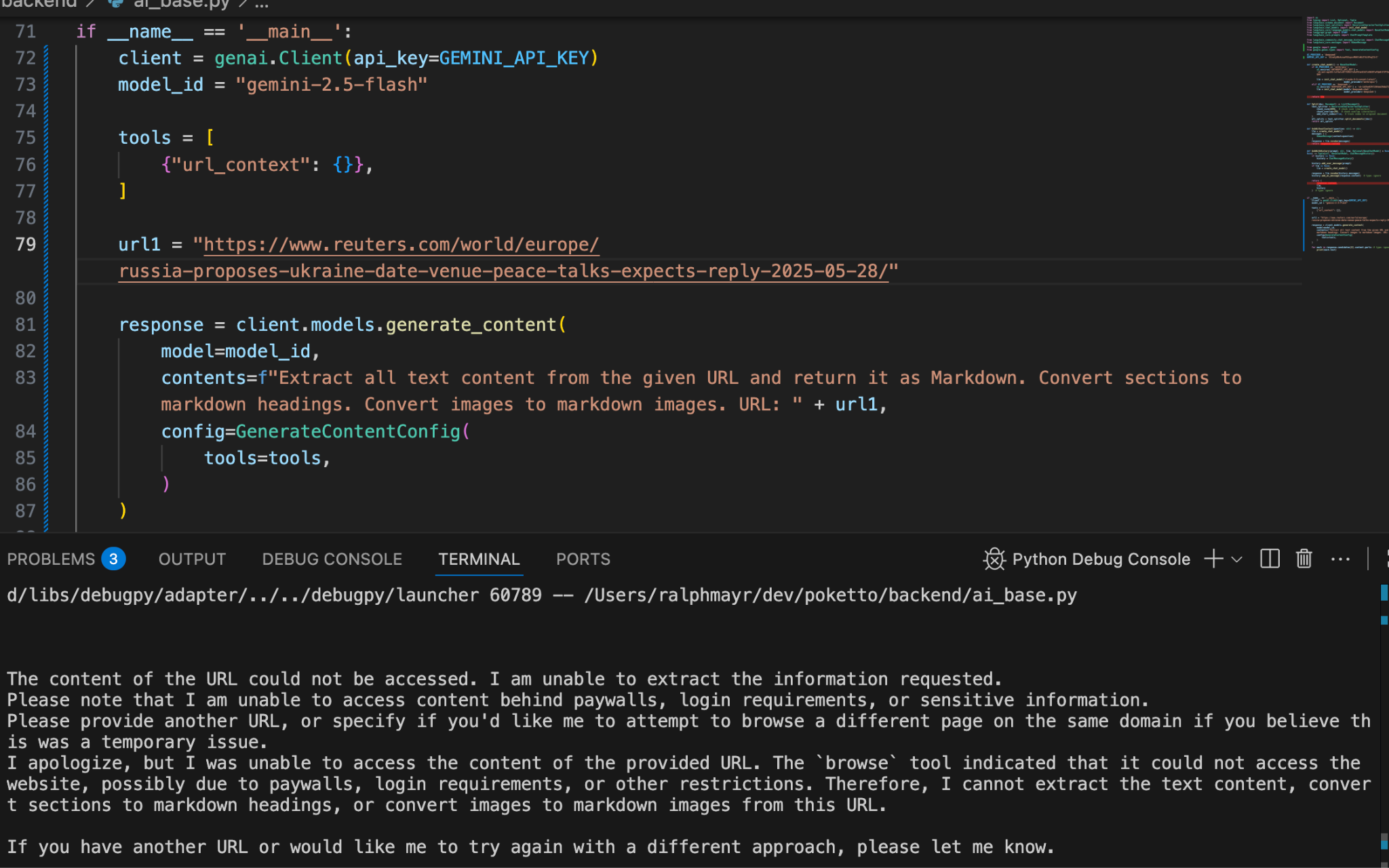
I’ll admit—I was pretty excited when Google announced that the Gemini API would support a new “URL Context” tool. The idea: you could “ask” Gemini about the content of a specific web page, with Google handling all the heavy lifting.
The documentation even shows a neat example: send Gemini two recipe URLs and prompt it to compare ingredients and cooking times. If it worked, this would’ve been a game-changer for poketto.me:
👉 No more scraping on my side
👉 Built-in streamlining (and translating!) with a single API call
👉 No extra interaction with another LLM (DeepSeek, in my case)
👉 Native text extraction from PDFs
👉 Maybe even a path to a simple “ChatPDF”-like feature?
So I spun it up, tested it—and was immediately disappointed.
Not even the official example worked. Gemini responded: “the second URL was not accessible.”
I assumed maybe the site was down, or the publisher’s server got swamped by requests from other excited Gemini users. So I tried a simpler case: one URL + a prompt (“Extract all text…”). Different error message, same outcome: Google couldn’t access the page.
Across ~20 test URLs, Gemini returned meaningful results for exactly two. And even for those, the response suffered from the typical LLM issues: They were padded with fluff (“Here’s the extracted text content…”) that one would have to specifically engineer the prompt to leave out.
A quick search led me to Google’s support forums—full of similar complaints. The canned response: “Gemini won’t scrape paywalled content.” But in my tests (and many others), paywalls weren’t the issue at all.
Bottom line: the feature feels like yet another half-baked, prematurely launched AI tool. Poorly tested, inconsistent, and with almost no error handling. Caveat emptor.
That said, one silver lining: I also tried Gemini’s video understanding feature, and that actually works pretty well—especially with YouTube videos. More on that tomorrow!