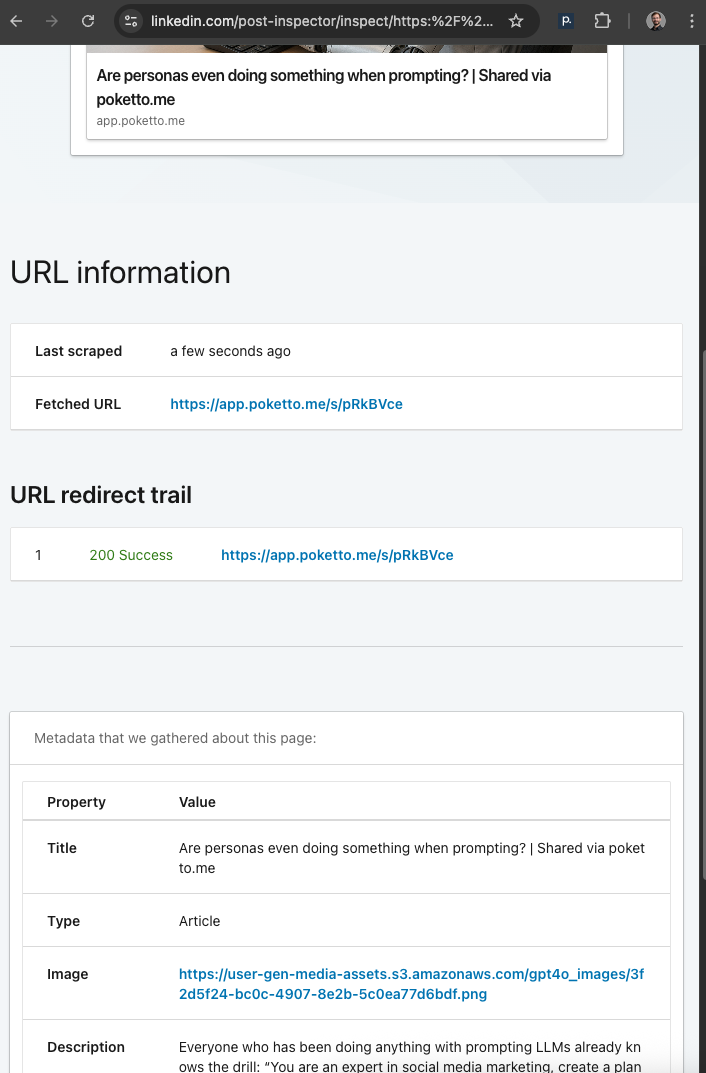
Yesterday, I described my elegant solution to the social media “preview” problem: Direct the share URL to the Python backend, render a skeleton HTML page with machine-readable metadata, and send real browsers to the Angular app’s proper “read” page.
But… how exactly do you redirect the user?
My first, naive idea was to use the age-old HTML redirect tag:
<meta http-equiv="refresh" content="0; url=http://example.com/" \>
My assumption: social media bots wouldn’t follow these “semantic” redirects, but they would follow HTTP redirects (which they definitely do). This worked perfectly — except for LinkedIn 😅
LinkedIn does parse the HTML, sees the meta refresh, ignores the rest of the metadata, follows the redirect to the Angular share page… and then finds zero machine-readable information 🕵️♂️
When I discovered this, I closed my laptop in frustration, slept on it, and — during my morning run — the solution popped into my head: Why not use an even more “semantic” redirect, one that only an actual browser would follow? Why not redirect with JavaScript?
So that’s what I did. My skeleton SoMe-optimized page now contains this in the <head>:
<script\> window.location.href = \"REDIRECT_URL\"; </script\>
Normal browsers immediately jump to the Angular read page. Bots like LinkedIn’s? They don’t follow it.
PS: LinkedIn has a handy “Post Inspector” tool that lets you preview how a link will look when shared, and see exactly where it fetches metadata: https://www.linkedin.com/post-inspector/