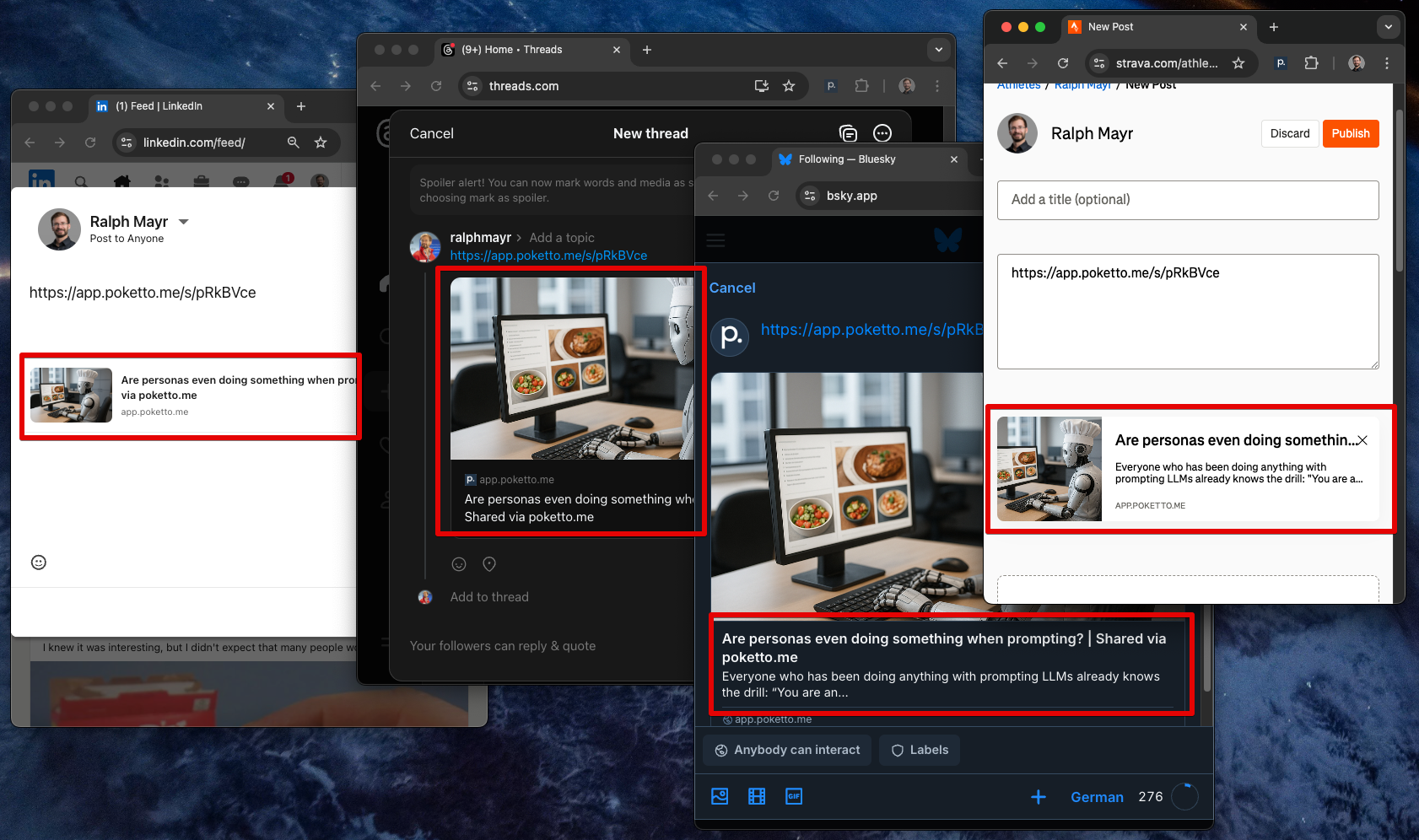
When you add a link to a website to post on Bluesky, Facebook, or LinkedIn, your post will often contain a “preview” of the target page. That’s great — it makes the post more appealing and more likely to get clicks. But how do social media platforms fetch the exact content they embed in that preview? That’s… a tiny rabbit hole.
Enter: the “Share…” feature of poketto.me. You can share any saved content with others via poketto.me. Anyone who opens the link gets the same distraction-free reading experience, whether or not they use poketto.me.
Naturally, when you paste such a link on social media, you’d expect the post preview to capture the essence of the shared content: the title, a short description, and an image (if the source content has one).
Social media sites fetch the URL and parse metadata such as:
<title>{title}</title>
<meta name="description" property="og:description" content="{description}">
<meta name="image" property="og:image" content="{link_to_image}">
<meta name="author" content="{author}"
Here’s the catch: The poketto.me frontend is an Angular app. The HTML that social media sites “see” only loads the JavaScript app, which then loads the content. That means there’s no easy way to inject <meta> tags dynamically.
However, my Python backend is a plain HTTP web server, so it can return any HTML it wants.
My solution:
➡️ The “shareable” URL points to something like: https://app.poketto.me/s/<share_id\>
➡️ The Python backend handles this URL (without Angular) and returns a stub HTML page containing the relevant <meta> tags, plus a redirect to the “actual” read page: https://app.poketto.me/#/shared/<share_id\>
When a user opens the shared link in a browser, they’re immediately redirected to the read page. But when a social media bot fetches it, it sees only the machine-readable metadata.
So far, so good! But: Stay tuned for tomorrow, when I’ll share the one LinkedIn quirk that almost broke the entire setup 🤯